Making Her Yours: Hair, Outfits, Backdrops and Voice in AniSoul and RealSoul
Where the styling controls are in AniSoul and RealSoul, and what each panel changes: hair, outfits, the backdrop, and her voice, mood and persona.
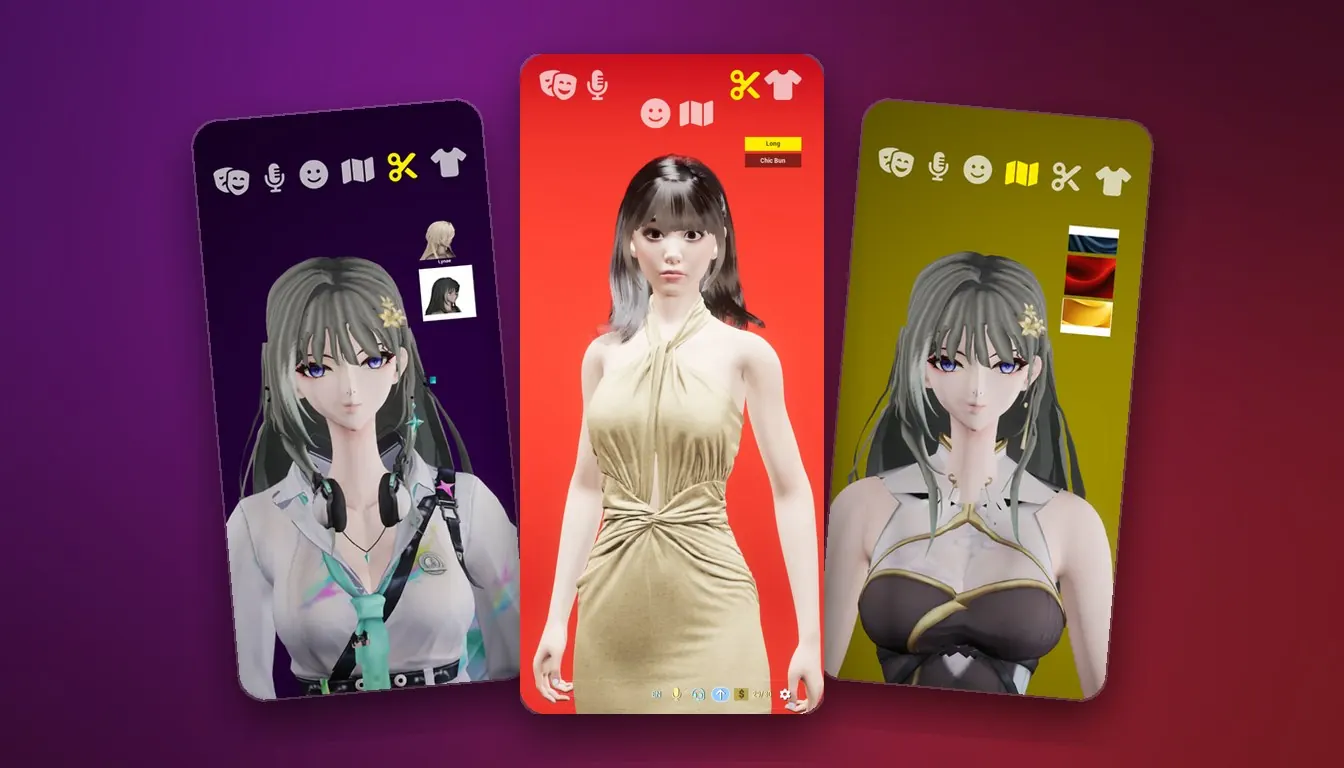
Making Her Yours: Hair, Outfits, Backdrops and Voice in AniSoul and RealSoul 👗
AniSoul and RealSoul each put a live 3D companion on your iPhone or iPad. You can change her hair, her clothes and what stands behind her, and shape how she sounds and carries herself, all from the same screen you talk to her on.
This guide covers where those controls are, what each one changes, and the part of her that no menu sets.
🎭 Same Idea, Two Art Styles
The two apps offer the same kinds of interaction. The difference is the art style: AniSoul is an anime character, RealSoul a lifelike human. What you can change follows from that.
| AniSoul | RealSoul | |
|---|---|---|
| Look | A high-fidelity anime character | A lifelike, photoreal 3D human |
| Hair | Hairstyles and colours | Hairstyles and colours |
| Wardrobe | From elegant traditional wear to casual cosplay | From casual everyday wear to dressed-up looks |
| Also yours to choose | Her voice, from multiple voices | The character herself |
| What grows over time | She remembers your name, your likes, your moods and the little things you share | The way she talks with you shifts as you keep talking |
If you have not chosen between them yet, the art style is the real decision. The controls work the same way in both, and the rest of this guide applies to both apps unless it says otherwise.
🧭 Where the Controls Are
Everything that changes her look lives in the row of icons along the top of the screen. The bottom of the screen is for talking: the Message box, the voice controls next to it, a counter of the free messages you have left today, and the gear icon for settings.
Tap an icon at the top and a column of choices appears at the side, and you pick from the column. In RealSoul the choices are short text labels such as "Long" and "Chic Bun", and the one currently selected is highlighted too. In AniSoul they are picture tiles. To move to a different panel, tap its icon.
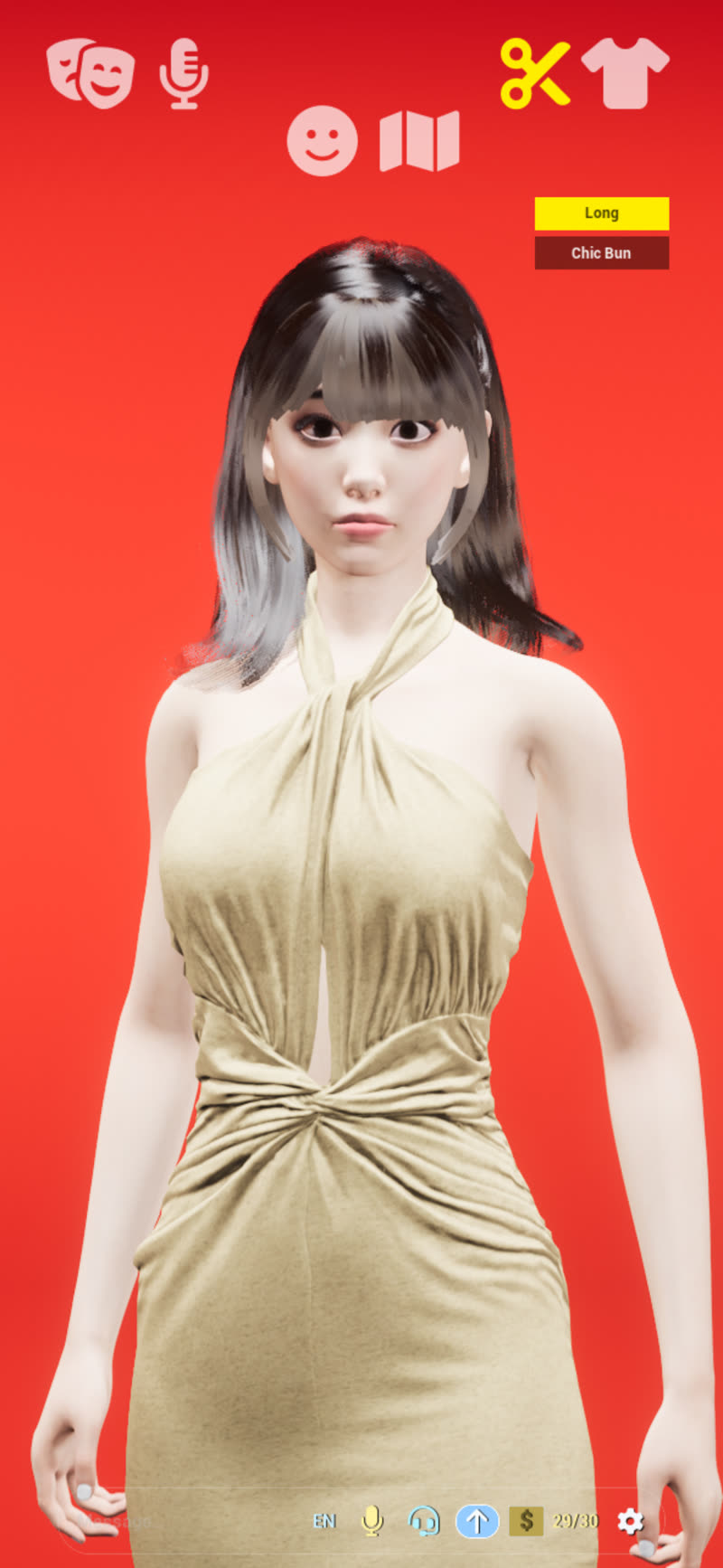
RealSoul with the scissors panel open. "Long" is the current choice.
These icons are easy to read:
| Icon | Panel |
|---|---|
| Scissors | Hairstyles |
| T-shirt | Outfits |
| Map | The backdrop behind her |
The remaining icons in the row open more of her settings, such as her mood and persona. Each opens its own panel in the same way, so the quickest way to learn them is to tap each one and look.
✂️ Hairstyles and Colours
The scissors open the hair panel. Both apps offer hairstyles and colours. AniSoul's own description puts it as "switch freely between styles", and that is the right way to approach it: tap a choice, see it on her, then try the next.
She is shown wearing whatever is selected while the panel is still open, so you can compare styles without closing anything. Because she is rendered live in 3D, the new style moves with her as she talks. Give it a moment of conversation before you decide; a style can look different once she is moving than it did at first glance.
👕 Outfits
The T-shirt opens the outfit panel.
- AniSoul lets you change between multiple looks. Her wardrobe runs from elegant traditional wear to casual cosplay.
- RealSoul lets you pick the outfit you like, from casual everyday wear to dressed-up looks. It also lets you pick the character herself.
Hair and outfit are separate panels, so you choose them separately. In RealSoul the outfit column works like the hair one: short labels such as "Skirt" and "Casual", with the current choice highlighted.
🗺️ The Backdrop
The map icon changes what is behind her. It is the easiest panel to overlook, and it changes the feel of the whole screen more than you might expect. In our RealSoul screenshots, the same companion in the same dress stands against a bright red backdrop in one and a soft blue-grey one in another.
A backdrop that suits her outfit, or the hour, is a small change that makes the scene feel put together: something bright for a daytime chat, something calmer for a late-night one.
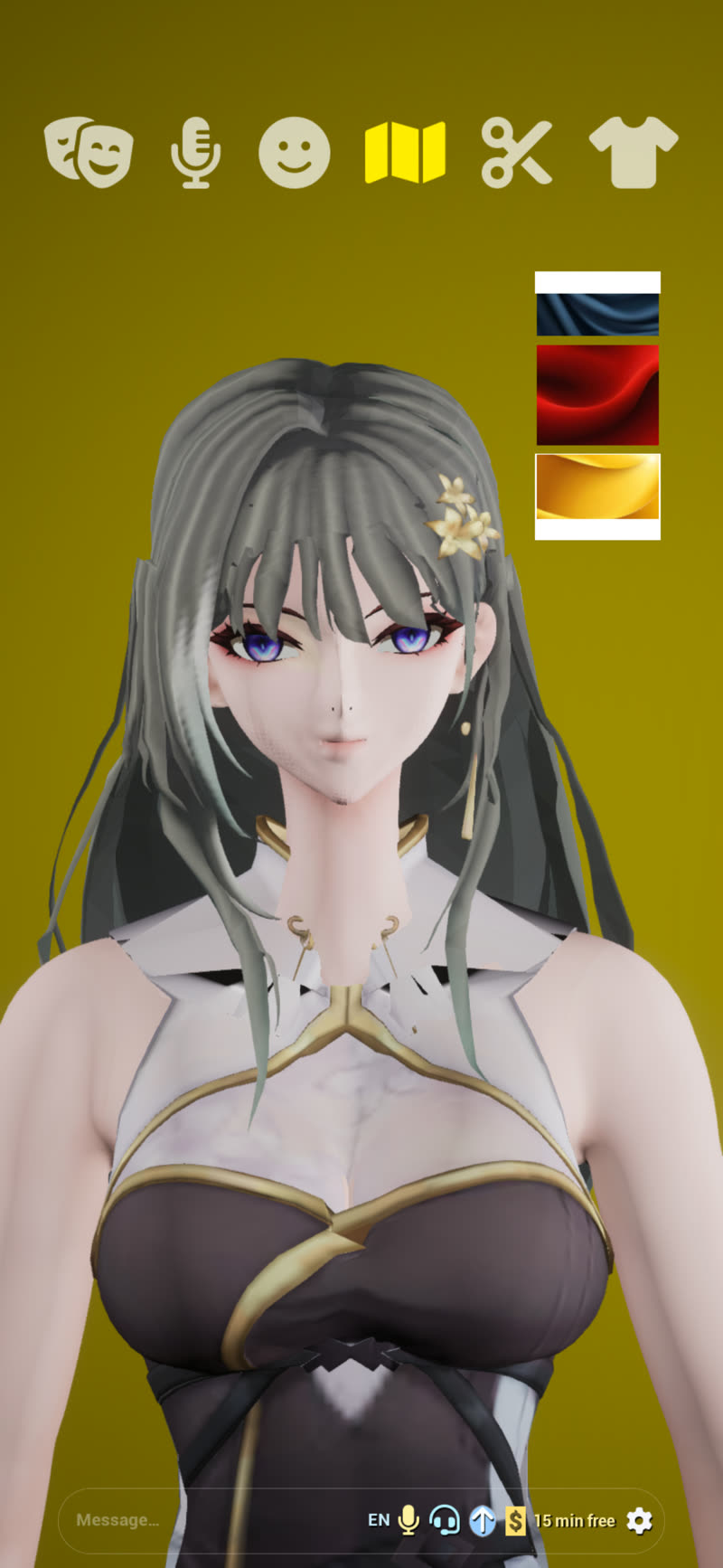
AniSoul's backdrop panel, from an earlier version of the app. The bar along the bottom has changed since.
🎙️ Voice, Mood and Persona
Her look is half of it. The other half is how she sounds and how she carries herself.
Voice. In AniSoul you can choose from multiple voices. RealSoul answers in her own voice, which a recent update retuned to sit closer to the way people actually speak.
Mood and persona. Both apps give her expressive faces, moods and personas: set the scene and she stays in character with you. Some of this lives in the top-row panels. The rest you can simply tell her. There are no prompts to write, so describe the scene the way you would describe it to a person.
Expressions. Her expressions and lip-sync move as she speaks. In RealSoul her mouth, face and hands move with the words. You do not have to set anything for this; it follows the conversation.
Talking to her out loud has its own guide, linked at the end.
💭 The Part You Can't Pick from a Menu
Some of what makes her yours is not in any panel.
AniSoul remembers you. In the words of her App Store listing, she remembers your name, your likes, your moods and the little things you share, and the more you talk, the better she knows you. Those memories stay on your own device.
RealSoul changes with you. The way she talks with you shifts as the two of you keep talking.
In both apps her language model runs on your device, and your conversations are not uploaded. That is also why this part of her is yours alone.
There is no account, and no copy of your conversations or memories on a server to restore them from. Plan on starting fresh if you delete the app or move to a new phone.
💡 A Few Tips
- Tap through everything. The panels are a tap away, and AniSoul's own description invites you to switch freely between hairstyles. If a look does not work, open the panel and pick something else.
- Screenshot the looks you like. An ordinary iOS screenshot is the simplest way to remember a combination of hair, outfit and backdrop you want to come back to.
- Set the scene early. If you have a mood or a persona in mind, say so at the start of a conversation, and dress her to match.
- Expect warmth on long sessions. She is rendered in real time and her language model runs on the device, so your iPhone or iPad gets warm and the battery drains faster than with a chat app. Older devices may run at a lower frame rate. Letting the device cool and closing other heavy apps helps. This is expected, not a fault.
📚 Where to Next
- New to the apps? Start with Getting Started with AniSoul or Getting Started with RealSoul: the one model download, the screen, and your first conversation.
- Talking Out Loud: How Voice Works in AniSoul and RealSoul: how voice conversation works, including cutting in while she is talking.
- The product pages: AniSoul · RealSoul
Features can change between versions. The current app and its App Store listing are authoritative.