AI Digital Human Studio on Windows PC: Editions, Specs & Customization Guide
Everything to know before installing AI Digital Human Studio on Windows 10/11: PC hardware specs, Steam vs Website edition, local voice and LLM controls, and Marketplace outfits and AI brains.
AI Digital Human Studio on Windows PC: Editions, Specs & Customization Guide 🎭
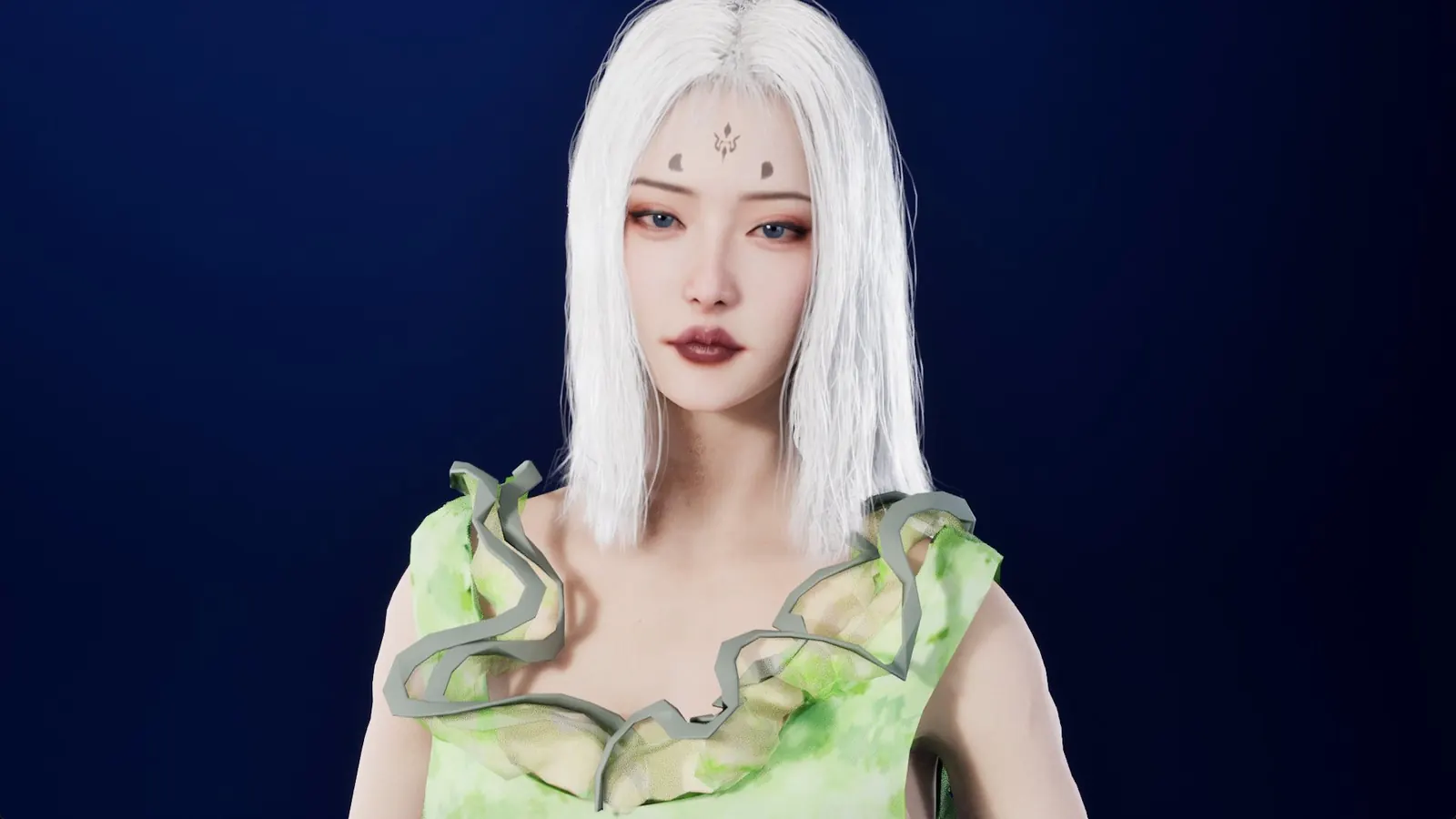
AI Digital Human Studio puts a real-time 3D companion on your Windows desktop. You can talk out loud into a microphone or type in the chat bar, and she replies in her own voice with synchronized facial expressions, eye contact, and full-body gestures.
Unlike browser-based chatbots, her language model, speech recognition, and voice synthesis all execute on your own PC. Once installed, there is no mandatory cloud account for local conversation and nothing you say needs to leave your machine.
This guide answers the practical questions new players ask most often: what PC hardware you actually need, how the Steam edition compares with the Website edition, how to tune GPU/CPU usage, and how outfits, hairstyles, AI brains, and speech packs work in the Marketplace.
💻 Minimum vs Recommended Windows Hardware
Because real-time 3D rendering (including strand-based hair and cloth physics) runs alongside local AI inference, graphics memory (VRAM) and SSD storage matter more than raw CPU clock speed.
| Component | Minimum | Recommended |
|---|---|---|
| Operating System | Windows 10 / 11 (64-bit) | Windows 10 / 11 (64-bit) |
| Processor | Intel Core i5-10400 or AMD Ryzen 5 3600 (6 cores, AVX2) | Intel Core i7-12700 or AMD Ryzen 7 5800X |
| System Memory | 16 GB RAM | 32 GB RAM |
| Graphics Card | NVIDIA GeForce RTX 2060 / RTX 3050 or equivalent (6 GB VRAM) | NVIDIA GeForce RTX 4060 Ti / RTX 3060 12 GB or equivalent (8 GB+ VRAM) |
| Storage | 20 GB available space, SSD required | 20 GB NVMe SSD |
A microphone is optional — text chat works without one, and you can switch between voice and text at any point during a conversation.
🛒 Steam Edition vs Website Edition: Which One Should You Pick?
AI Digital Human Studio is available in two official Windows distributions. Both run the exact same game build, have identical system requirements, and share access to the same Marketplace items:
| Feature | Steam Edition | Website Edition (Windows) |
|---|---|---|
| Where to get it | Steam Store | AI Digital Human Studio — Website Version |
| Updates | Automatic via Steam client | Automatic via the official standalone launcher |
| Activation | Tied to your Steam library | Activation key unlocks up to 3 Windows PCs (devices can be released once a month) |
| Marketplace sync | Link your Steam account once on the web | Linked automatically to the account that purchased the key |
If you already own the game on Steam, keep playing on Steam — you do not need a separate copy. Choose the Website edition if you prefer running the game on a Windows PC without installing the Steam client.
🗣️ Voice, Languages, Songs & Dances
Out of the box, you can switch between Simei, Ayami, and April, reshape facial features with sliders or control points, adjust studio lighting/backdrops, and converse in English, Chinese, Japanese, Korean, German, French, Spanish, Italian, Portuguese, and Russian.
- Full-duplex voice: Click the microphone icon and speak naturally. You can interrupt her mid-sentence, or pause — if the room goes quiet, she can initiate conversation on her own.
- Offline speech recognition packs: English, Mandarin Chinese, Japanese, Korean, and Cantonese voice input work out of the box. Additional spoken languages are available as free downloads in the Marketplace and the in-game store.
- Voice cloning: Record or provide a short local voice sample in the Voice panel; cloned voice profiles remain on your PC.
- Songs and custom dances: Ask her to write and sing an original song on your PC, teach her an audio track from your music folder with synchronized lyrics, or drop a dance motion + audio folder into the chat so she learns and performs the routine locally.
👗 Customizing Looks, Outfits & AI Brains via the Marketplace
Every official item from the in-game store — plus player-created character looks — can be browsed on the web in the AI Digital Human Studio Marketplace:
- Outfits, Shoes & Hairstyles: Dresses and skirts use real-time cloth simulation, and strand-based hairstyles support custom color tinting.
- AI Brains: Swap local language models sized for different VRAM budgets and conversation styles.
- Speech Recognition (ASR) Packs: Add single-language offline speech recognition models so voice input stays fast and local in your preferred language.
- Community Character Looks: Download free or paid character presets shared by creators, or publish your own presets from the Creator Dashboard.
When you click Add to my game or purchase an item on the web, it syncs straight into your library the next time you launch AI Digital Human Studio.
⚡ Quick Performance Shortcuts on Modest GPUs
If your PC is close to the 6 GB VRAM minimum, four built-in function keys let you balance visual fidelity and inference speed without leaving the scene:
F8— Toggle the live hardware overlay (CPU, GPU, VRAM, and RAM usage).F9— Switch AI inference between your GPU and CPU.F10— Toggle real-time cloth simulation on or off (turning it off noticeably lightens GPU load on entry-level cards).F7— Toggle soft hair shadows on or off.
For full panel references and troubleshooting steps, see the AI Digital Human Studio User Guide. If you also want a 3D companion on your iPhone, iPad, or Android phone when you are away from your desk, check out RealSoul (photorealistic) and AniSoul (anime).
More from the blog
Some Packages Must Exist Exactly Once
A monorepo happily installs two copies of a library. For most libraries that is merely wasteful. For a specific class of them it is a bug that presents as something else entirely.
Shipping a 3D Avatar to the Browser Without Shipping the Studio
A rigged character with real animation is a large asset arriving over a network you do not control. Most of the engineering is about the arrival, not the rendering.
Chill Music | Best English Lyrical R&B 2025
A curated playlist of romantic English R&B love songs from 2025: relaxed, lyrical tracks to play in the background while you work or study.