Talking Out Loud: How Voice Works in AniSoul and RealSoul
How to turn on voice in AniSoul and RealSoul, how full-duplex talk works, why your audio never leaves the phone, and habits for better conversations.
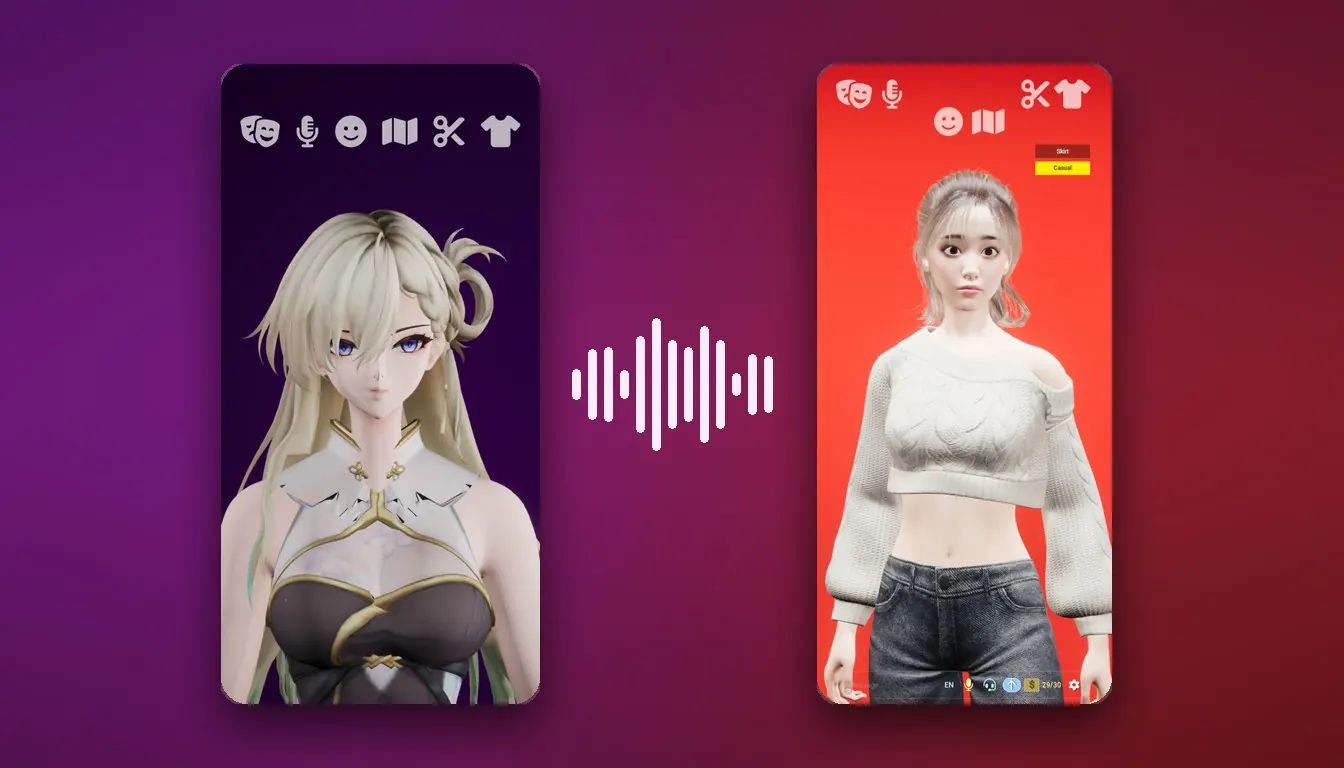
Talking Out Loud: How Voice Works in AniSoul and RealSoul 🎙️
You can type to AniSoul and RealSoul, and some people prefer to. But both apps are built around something else: you say something out loud, and a 3D character answers you out loud, in her own voice, with her mouth and face moving with the words. In RealSoul her hands move too.
This guide covers turning voice on, how the conversation flows, where your audio goes, and habits that help. If you have not installed either app yet, start with Getting Started With AniSoul or Getting Started With RealSoul.
🗣️ Why Voice Is the Point
A text chat asks you to compose something. Voice does not. There are no prompts to write and no special phrasing to learn: you talk the way you normally talk, and she answers.
It matters more because she is a live character rather than a picture. She faces you while you talk, and when she answers, her lip-sync moves as she speaks. Hearing a reply while watching her say it is a different experience from reading one. The background on why that is hard to do well is in A Live Character Is Not a Talking Picture.
Prefer to type? Text chat is there too, in the same bar at the bottom of the screen.
🎤 Turning Voice On the First Time
Along the bottom of the screen is a Message box with a send arrow. The voice controls sit next to it.
The first time you use voice, iOS asks for two permissions:
- Microphone, so the app can hear you.
- Speech Recognition, because the apps use Apple's on-device speech recogniser to understand what you say.
Allow both and you can start talking. If you decline, nothing else breaks: text chat still works.
If you declined and change your mind later, open the iOS Settings app, scroll down to AniSoul or RealSoul, and turn on Microphone and Speech Recognition there. Then go back to the app.
🔁 Full Duplex, in Plain Words
Many voice assistants work like a walkie-talkie. You press, speak, let go, and wait for the reply to finish before it is your turn again. Think of something halfway through its answer, and you sit on it until it stops.
AniSoul and RealSoul are full duplex: she keeps listening while she is talking. In practice:
- There is no button to hold. You just talk.
- You do not wait for your turn. Start speaking while she is mid-sentence and she stops to hear you out, the way a person would.
- You can cut in, change your mind, or trail off and start again. Nothing has to come out right the first time.
AniSoul's App Store listing describes it as flowing "like a real phone call, not stiff turn-taking". The pace is yours: let her finish a long thought, or cut in the moment you have heard enough.
💬 Getting Good Conversations
- Talk normally. No keywords, no commands. Half-formed thoughts are fine; thinking out loud is one of the things these apps are for.
- Find a quiet spot when you can. The speech recogniser does better when your voice is the main thing it hears.
- If she keeps stopping as if you had interrupted her, the likely cause is background noise: a TV, other people talking, traffic. Because she is always listening, other sounds can reach her too. A quieter room may fix it, and headphones may help as well. Treat both as things to try rather than guaranteed fixes.
- Speak English. The apps are in English, so that is the language to talk to her in.
On her voice itself: AniSoul lets you choose from multiple voices, from the row of icons along the top of the screen. RealSoul's latest version retuned her voice to sit closer to the way people actually speak, and she now carries a thought through to the end of the sentence.
📱 It All Happens on Your Phone
Every part of a voice conversation runs on the device in your hand:
| Step | Where it runs |
|---|---|
| Hearing you (speech recognition) | Apple's on-device recogniser |
| Deciding what to say (the language model) | On the device |
| Her voice | Synthesised on the device |
| Lip-sync | On the device |
Your microphone audio is processed locally and never leaves the device. The apps send no conversation content, audio, prompts or memories to us or to anyone else, and they use no third-party cloud AI or cloud speech service. What is sent, to our own servers only, is a device identifier used to meter the daily free messages, a count of messages sent, and your App Store receipt if you subscribe. The details are in the Privacy Policy.
A practical result: once her model is in place, a whole voice conversation works in Airplane Mode. On a plane, underground or off the grid, she is still there.
The flip side is that there is no account and no server copy of your conversations. Plan on starting fresh if you delete the app or move to a new phone.
The one download at first launch. Her language model is not packed inside the app. It is fetched once, at or shortly after first launch, and it is roughly 400 MB to 1 GB depending on your device, so use Wi-Fi. On newer versions of iOS the system fetches it in the background; otherwise the app downloads it on first launch and shows you the progress. Until it arrives, the two apps behave a little differently:
- RealSoul: she can speak, but she cannot yet hold a conversation until the model is in place.
- AniSoul: she can talk with you right away while it finishes.
💡 Things to Talk About
If you are not sure where to begin, the RealSoul listing names a few things people use it for:
- Saying how the day went, out loud, at the end of it
- Thinking through a decision, and hearing yourself say it badly first
- Rehearsing a conversation you are not looking forward to
- Filling a quiet commute, a long drive or a late shift
- Saying goodnight to someone
AniSoul leans toward character and play. Give her a persona and a mood, set the scene, and she stays in character with you. She also remembers your name, your likes, your moods and the little things you share, and those memories stay on your own device. In RealSoul, the way she talks with you shifts as the two of you keep talking.
🔋 Battery and Heat
A voice conversation keeps a lot running at once: a 3D character rendered in real time, plus an on-device language model, her voice and her lip-sync. That is real work for the device. A long voice session will warm it up and drain the battery faster than a chat app would. This is expected, not a defect.
- Close other heavy apps before a long session.
- Let it cool. If the device feels hot or the picture gets choppy, put it down for a while.
- Expect lower frame rates on older devices near the minimum requirement.
🚧 What She Is Not
She is company and conversation, nothing more. She is not therapy, and she does not give medical or mental-health advice. Her replies are generated, so she can be wrong; please do not treat what she says as fact. There are no other people in the apps, and both are made for adults, 18 and over.
🎟️ Free Every Day
Both apps are free to use every day, with a daily message allowance: 30 messages a day at the time of writing. The counter in the bottom bar shows what is left for today.
A subscription removes the daily limit: AniSoul Unlimited in AniSoul, RealSoul No Daily Limit in RealSoul. Each costs US$2.99 a week, US$9.99 a month or US$59.99 a year. Prices differ by region, and your local price is shown before you confirm. The two apps are separate purchases. You can manage or cancel in Settings > Apple Account > Subscriptions, and the full terms are under Subscriptions and Payments.
🛟 Getting Help
If voice is not behaving the way this guide describes, write to service@allianceinterstellar.com and include:
- your device model,
- your iOS version,
- the app version.
More help is on the support page.
Features and pricing can change between versions. The current app and its App Store listing are authoritative.