RealSoul vs AniSoul vs AI Digital Human Studio: Choosing Your 3D AI Companion
How our three 3D AI companion apps compare across Windows PC, iPhone, iPad, and Android: photorealistic vs anime style, local PC GPU vs mobile cloud and offline modes, and pricing.
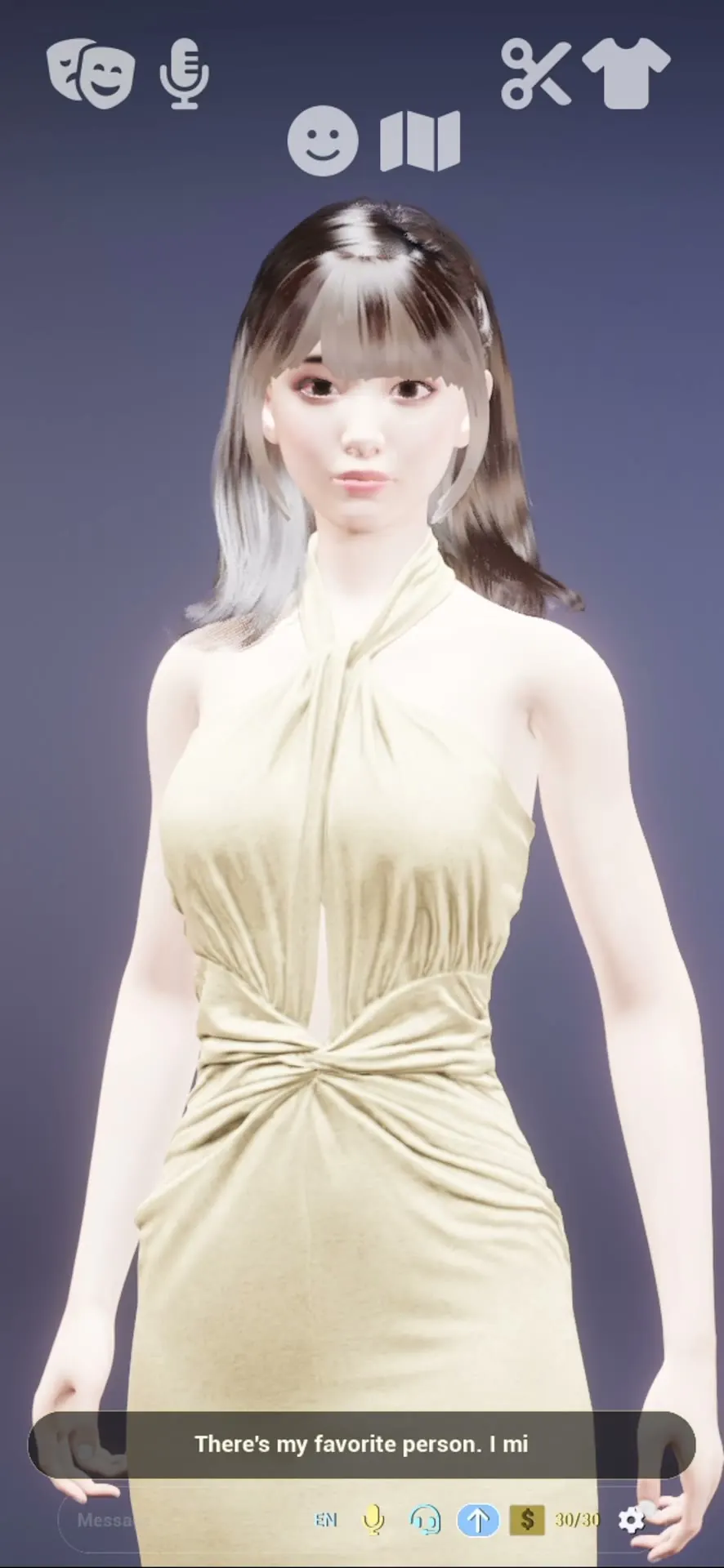
RealSoul vs AniSoul vs AI Digital Human Studio: Choosing Your 3D AI Companion ✨
Alliance Interstellar builds three real-time 3D AI companion apps across desktop and mobile: AI Digital Human Studio, RealSoul, and AniSoul.
All three render a live 3D character frame by frame on your device — with lip-sync, eye contact, outfits, and full-duplex voice conversation rather than a static 2D picture. Where they differ is the device you use, visual art direction, how AI inference runs by default, and how pricing works.
Here is a clear, side-by-side breakdown so you can pick the right one in under two minutes.
📊 Quick Comparison Table
| Feature | AI Digital Human Studio | RealSoul | AniSoul |
|---|---|---|---|
| Platforms | Windows 10 / 11 PC (Steam & Website edition) | iPhone, iPad & Android | iPhone, iPad & Android |
| Visual Style | Photorealistic desktop 3D studio (strand hair, cloth physics, portrait depth-of-field) | Photorealistic mobile 3D human | Stylized 3D anime & cosplay companion |
| Default AI Mode | 100% local on your PC GPU/CPU — no cloud account needed | Cloud AI by default for instant start; optional offline on-device mode or your own API key | Cloud AI by default for instant start; optional offline on-device mode or your own API key |
| Voice & Languages | Full-duplex voice, local voice cloning, 10+ chat languages & downloadable ASR packs | Full-duplex voice & text chat | Full-duplex voice & text chat |
| Customization | Face sculpting sliders, height, makeup, songs, custom dances & Marketplace | Hair, outfits, backdrops, voice, mood & persona | Anime hairstyles, cosplay outfits, backdrops, voice & persona |
| Pricing Model | One-time purchase for the base game + optional free/paid Marketplace items | Free daily chat allowance; optional US$9.99/mo Unlimited subscription | Free daily chat allowance; optional US$9.99/mo Unlimited subscription |
🖥️ Choose AI Digital Human Studio If You Have a Windows Gaming or Creator PC
If you have a Windows 10/11 PC with a dedicated graphics card (at least an NVIDIA RTX 2060 / RTX 3050 with 6 GB VRAM and 16 GB RAM), AI Digital Human Studio gives you the deepest visual fidelity and customization:
- Everything runs locally on your machine: Speech recognition, the conversation model, and voice synthesis execute on your own hardware. After installation, it works completely offline.
- Deep character studio & Marketplace: Sculpt facial proportions with control points, switch between Simei, Ayami, and April, clone voices locally, ask her to compose songs or learn custom dance folders, and expand her wardrobe and AI brains in the Marketplace.
- Two ways to own it: Get it on Steam or buy the Website edition for Windows (one activation key covers up to 3 PCs). Read our PC Edition & Hardware Guide for full details.
📱 Choose RealSoul If You Want a Realistic 3D Companion on Your Phone
If you want to talk out loud or text from an iPhone, iPad, or Android phone — on a commute, late at night, or away from your desk — and prefer a lifelike, photorealistic character, pick RealSoul:
- Instant start with no sign-up: Install from the App Store or Google Play and start chatting right away using the daily free message allowance.
- Three flexible AI modes: RealSoul uses Cloud AI by default so you can talk immediately without a multi-gigabyte download, and also lets you switch to offline on-device mode (after downloading the local model) or connect your own API key in Settings.
- First-day walkthrough: See Getting Started with RealSoul for screen controls and voice tips.
🌸 Choose AniSoul If You Prefer 3D Anime & Cosplay Aesthetics
AniSoul shares the same mobile engine, voice architecture, privacy options, and free daily chat model as RealSoul, built specifically around expressive 3D anime characters, cel-shaded styling, and cosplay outfits on iOS and Android:
- Cloud AI by default + Offline & BYOK options: Start talking immediately after installing, download the on-device model when you want offline conversations, or bring your own API key.
- Styling & voice: Customize anime hairstyles, outfits, studio backdrops, and persona traits — covered step by step in Getting Started with AniSoul and Making Her Yours.
Many players pair AI Digital Human Studio at their home desk with RealSoul or AniSoul on their phone — pick whichever fits your hardware and aesthetic today, and try the mobile apps for free anytime.
More from the blog
Is There an AI Companion App That Works Offline and Doesn't Upload Your Chats?
Yes: AniSoul and RealSoul, our two 3D companion apps, run their AI on your phone by default. What works without a connection, the one download you need first, the one exception, and how to choose.
AI Anime Girlfriend with Voice Chat on iPhone and Android: AniSoul
AniSoul is our 3D anime AI companion for iPhone, iPad and Android. You talk to her out loud, cut in whenever you like, and by default her AI runs on your phone.
A 3D AI Girlfriend You Talk To Out Loud: What RealSoul Does (and Doesn't)
RealSoul is our lifelike 3D companion app for iPhone, iPad and Android: you talk to her out loud and she answers in her own voice. What it does, what it doesn't, and what it costs.